Thoughtful Product Experiences
Onboarding
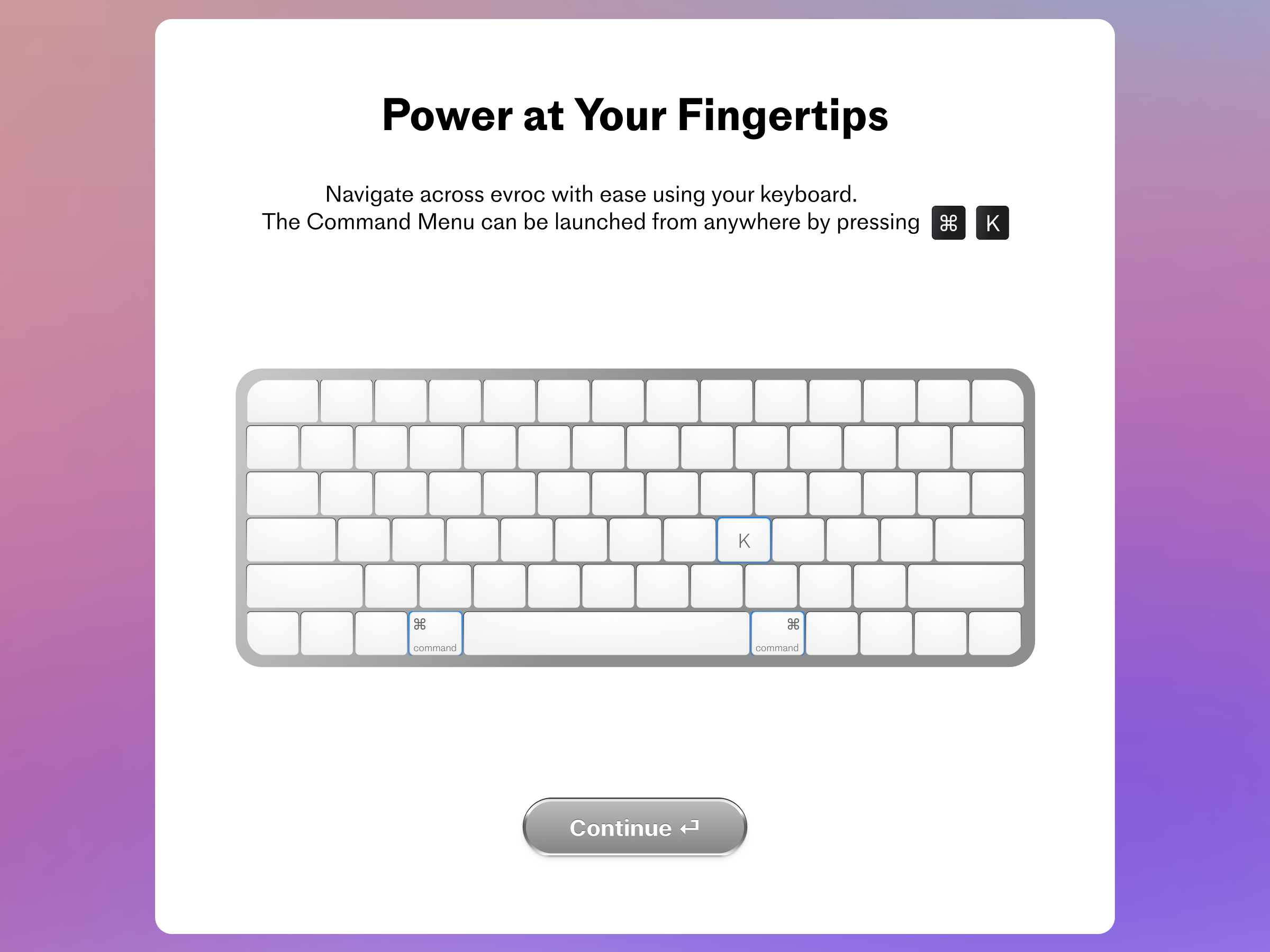
As part of the prototype of the next version of the Console, I wanted it to be more keyboard shortcut friendly, and make navigating by the keyboard possible, therefore it was crucial to have an onboarding animation which educated users.
Virtual Machine List View
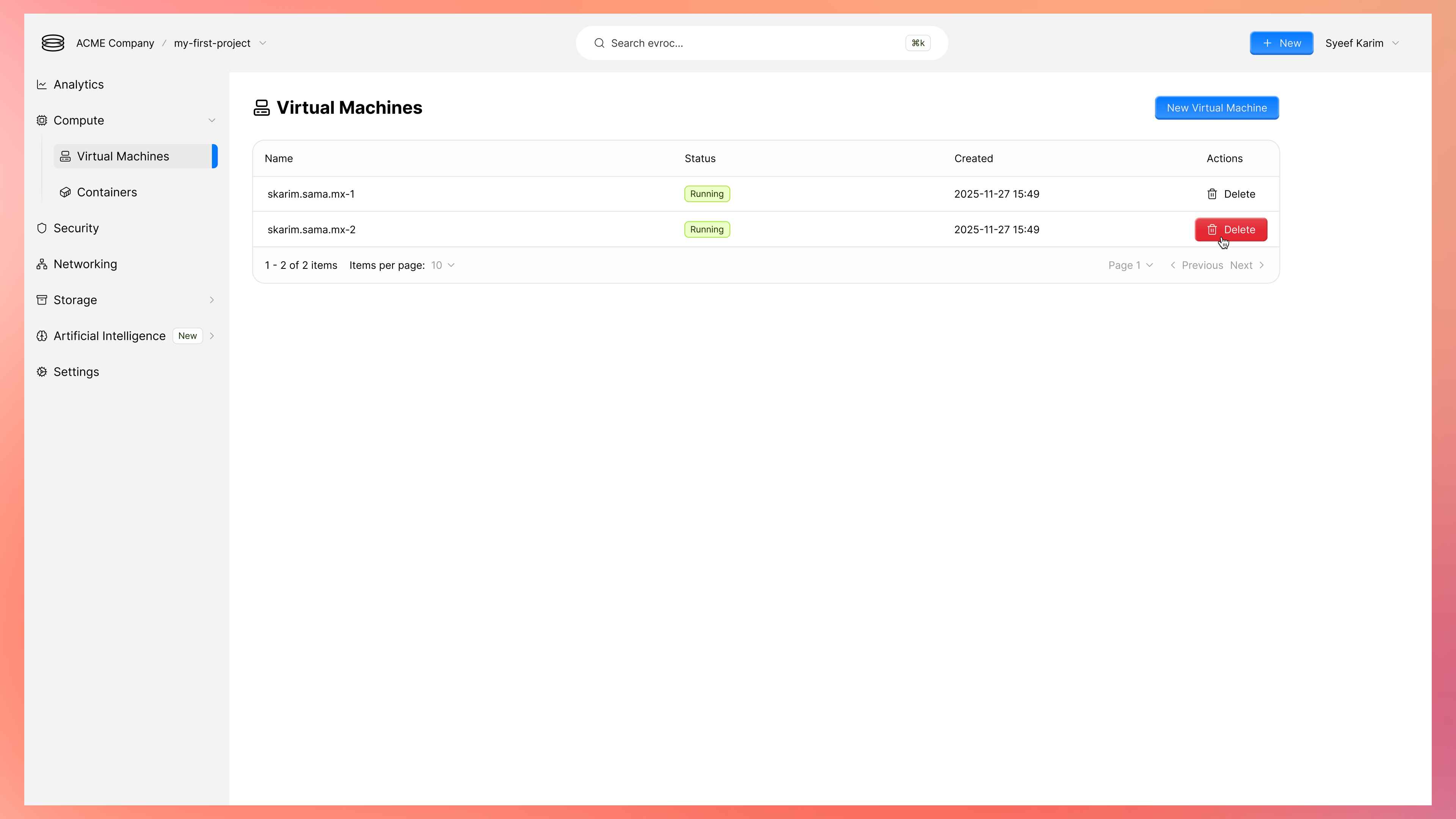
An operationally focused management view for virtual machines, prioritising clear system state, essential metadata, and deliberate action placement. The layout emphasises scannability and restraint, helping users make quick and confident decisions while reducing the risk of accidental destructive actions.
New Compute Instance
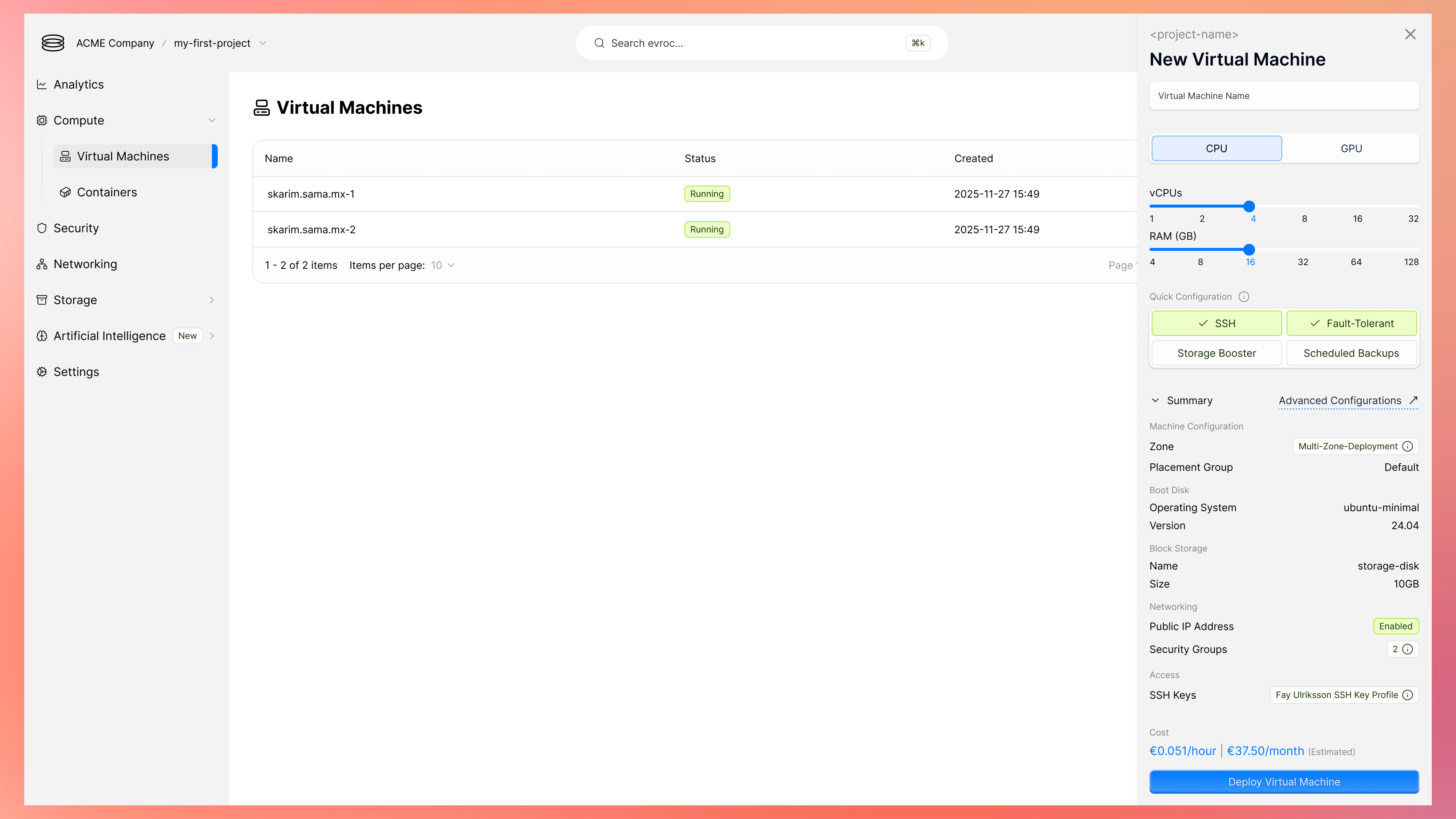
A data-dense side-panel designed for speed and clarity that supports configuring and deploying a new virtual machine through progressive disclosure, keeping advanced options accessible without overwhelming the core flow. Here users are still able to maintain visibility of their existing infrastructure.
Virtual Machine Analytics
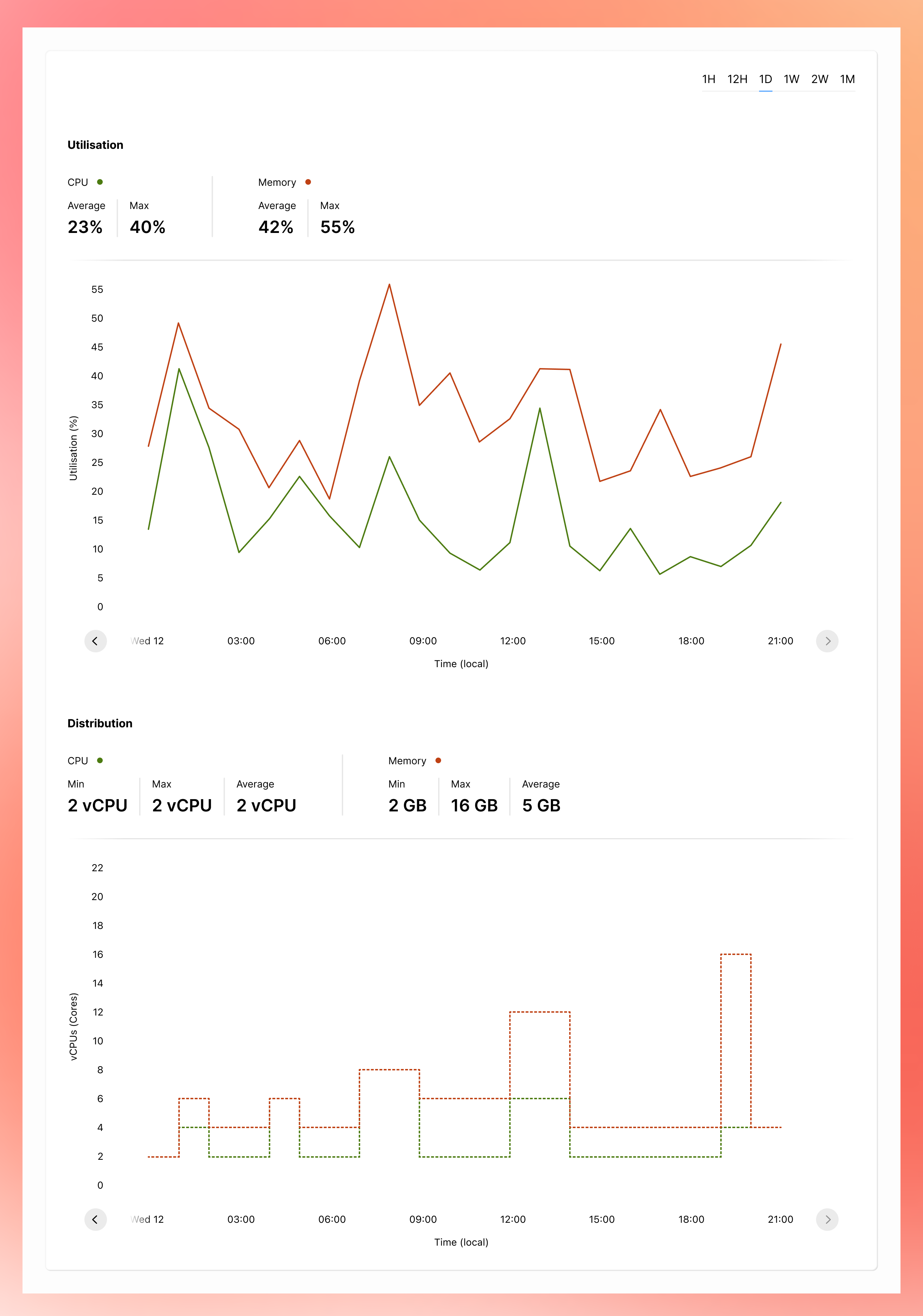
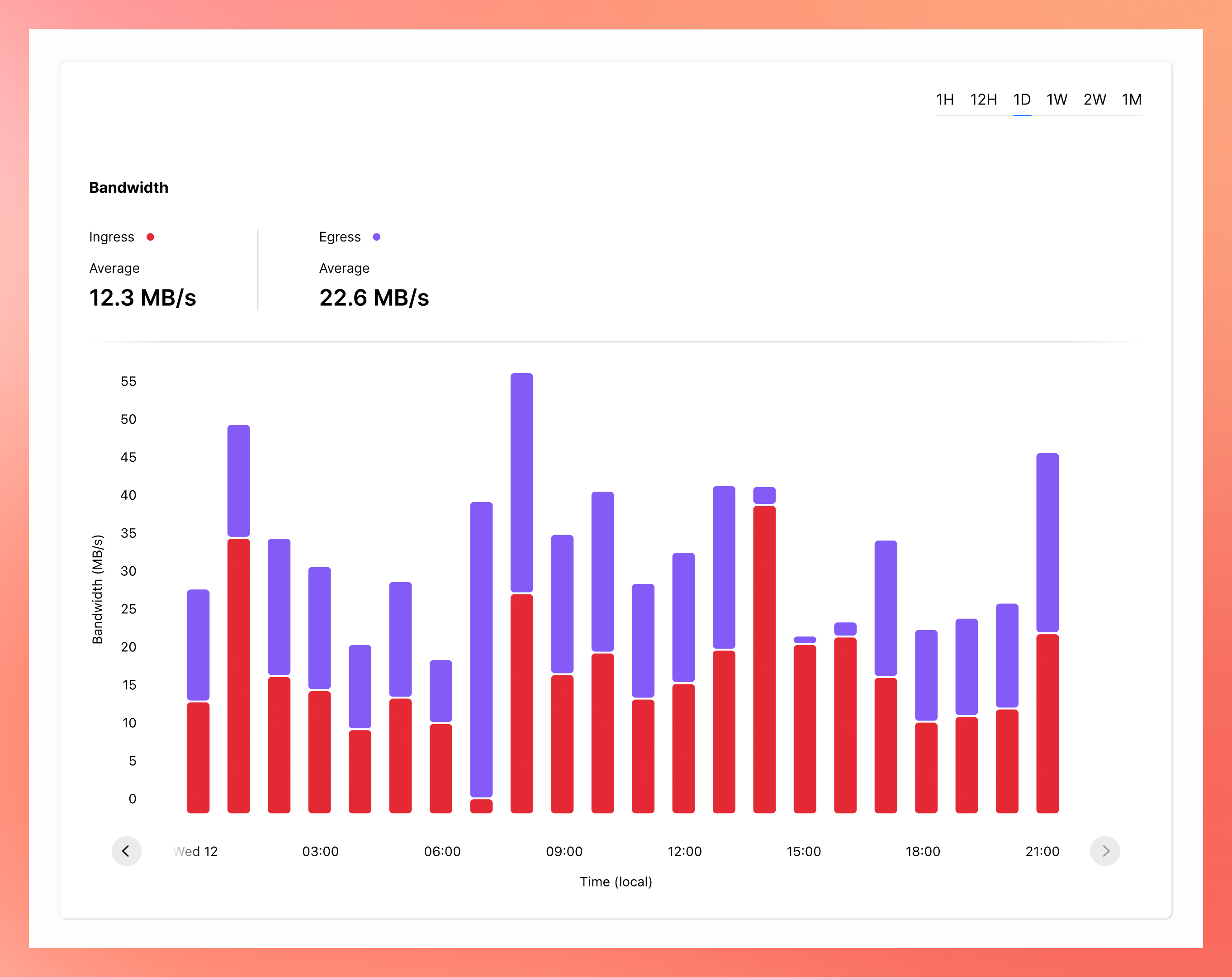
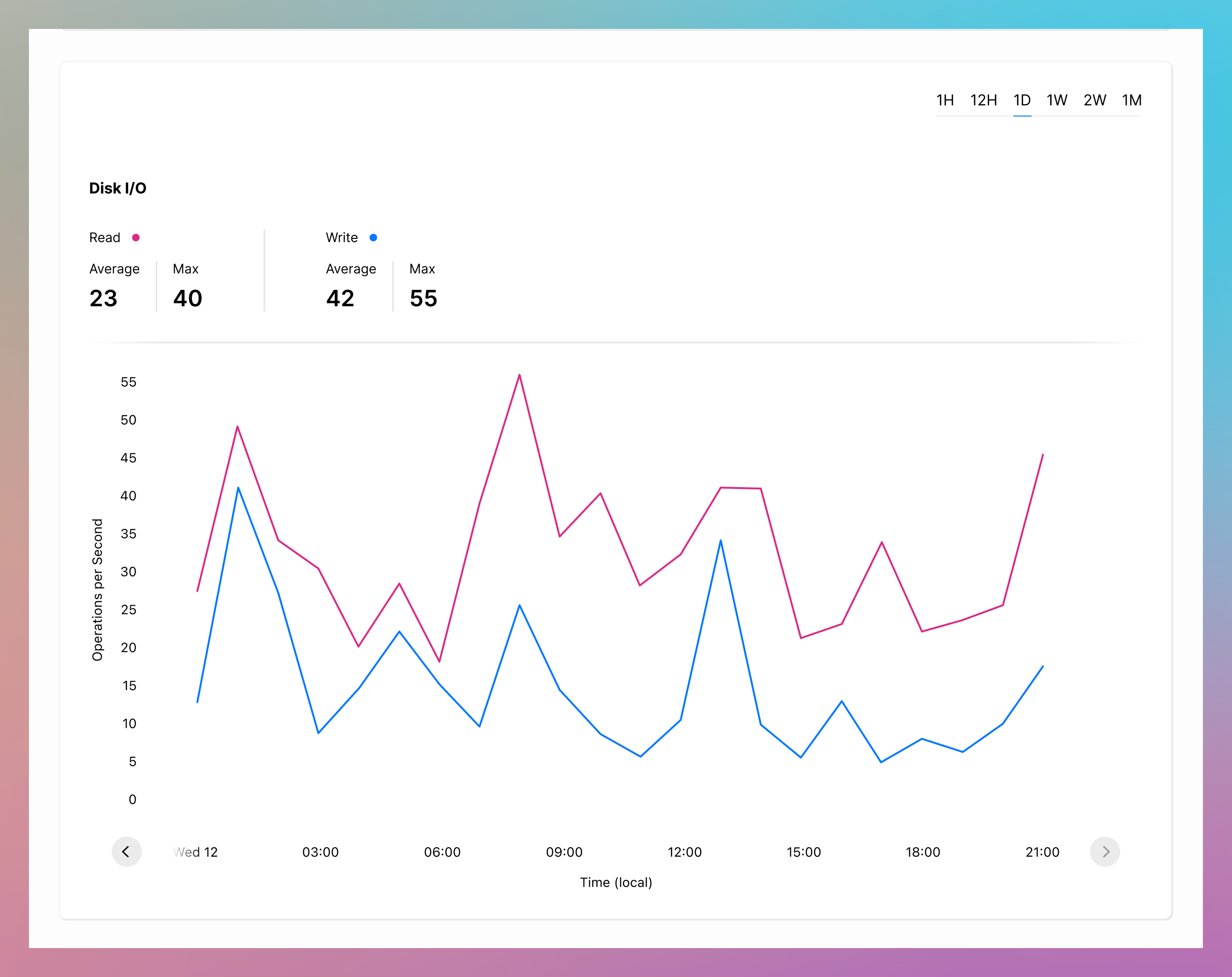
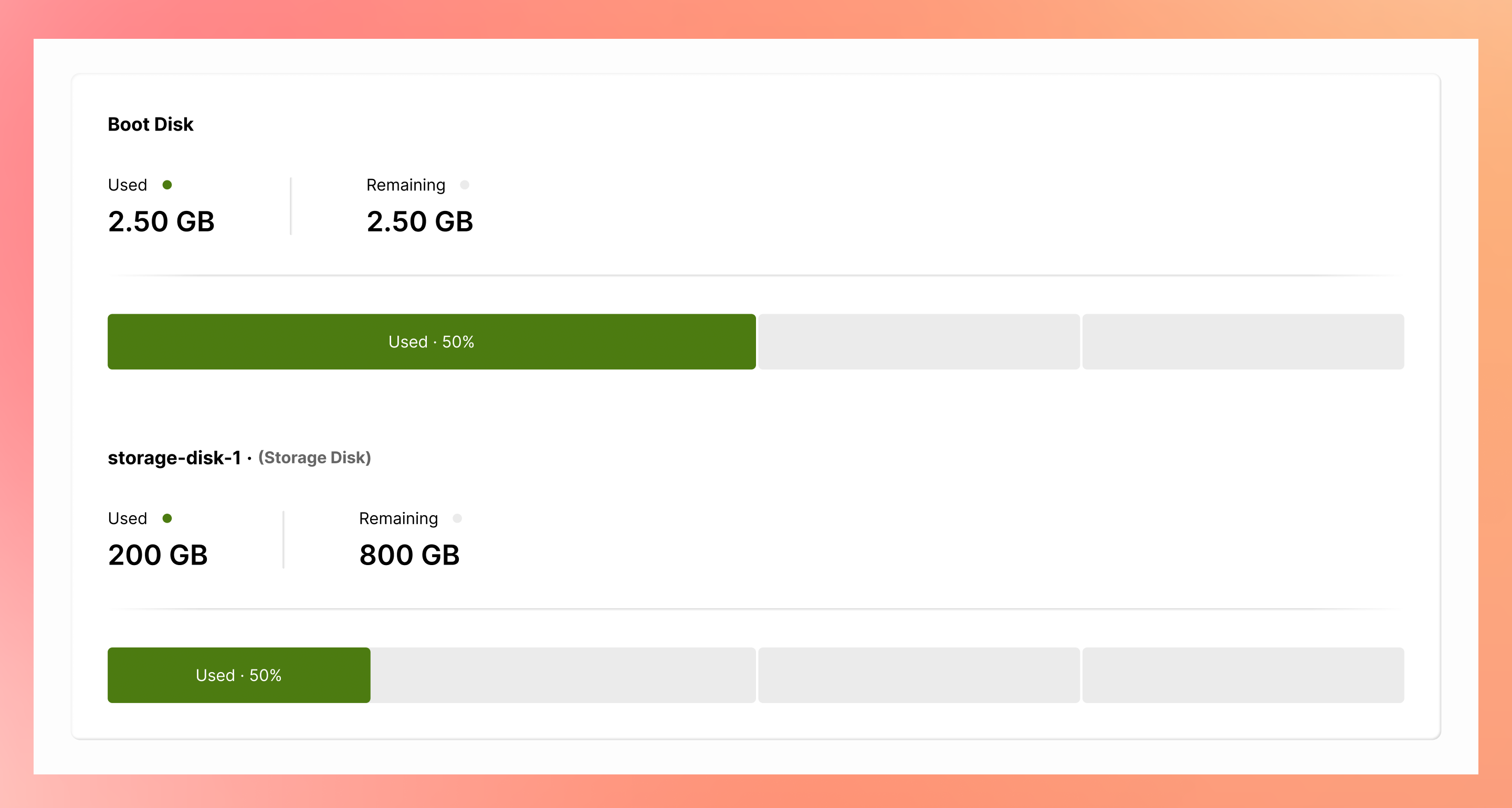
The dashboard uses a mix of line charts and bar graphs to surface utilisation and distribution across CPU and memory, bandwidth, disk I/O, and disk space. By varying chart types and applying distinct categorical colours, each section establishes its own visual identity, being deliberate and distinct, and therefore improving scannability and preventing critical data points from being obscured by uniformity.
Usage & Billing
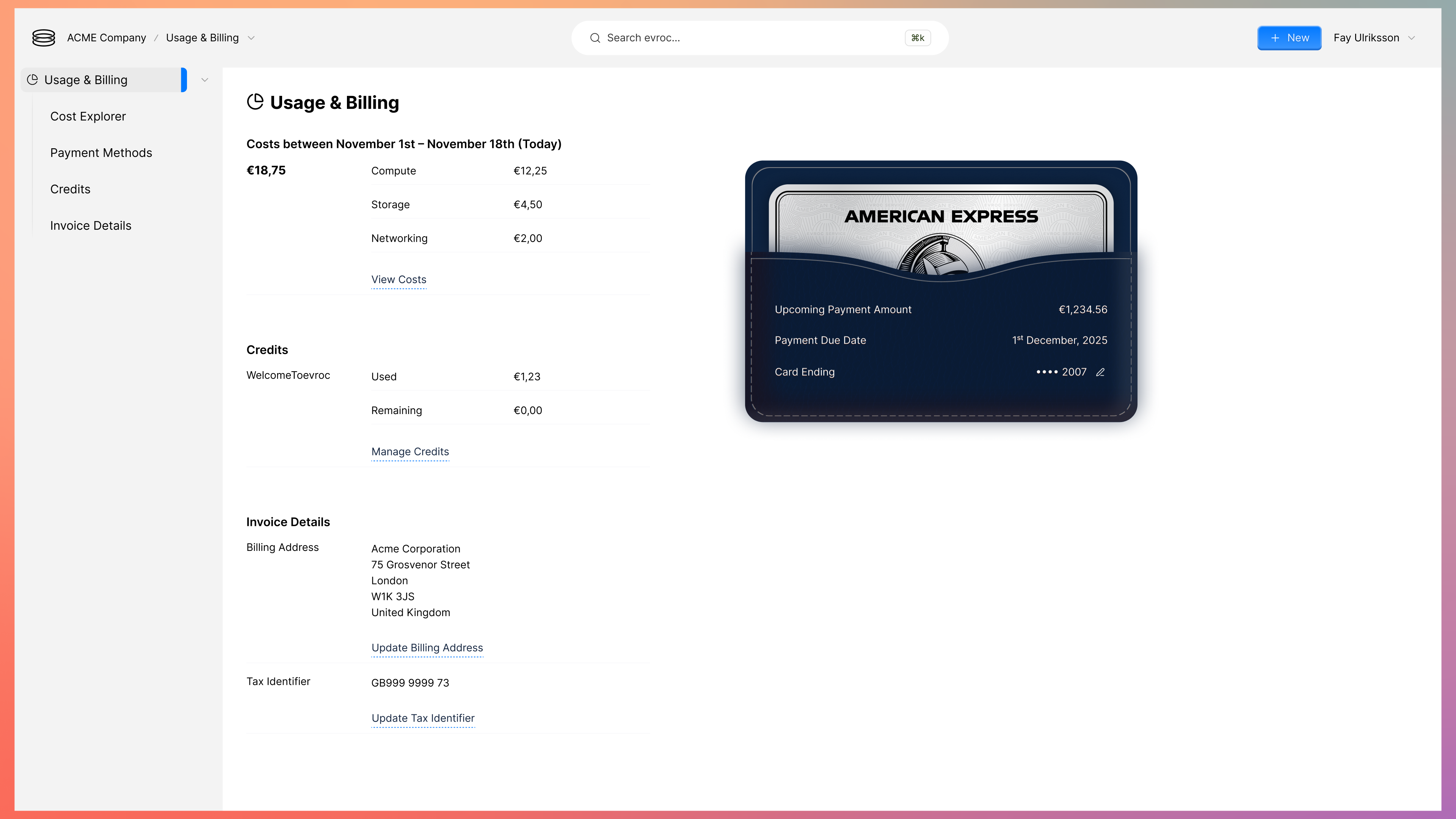
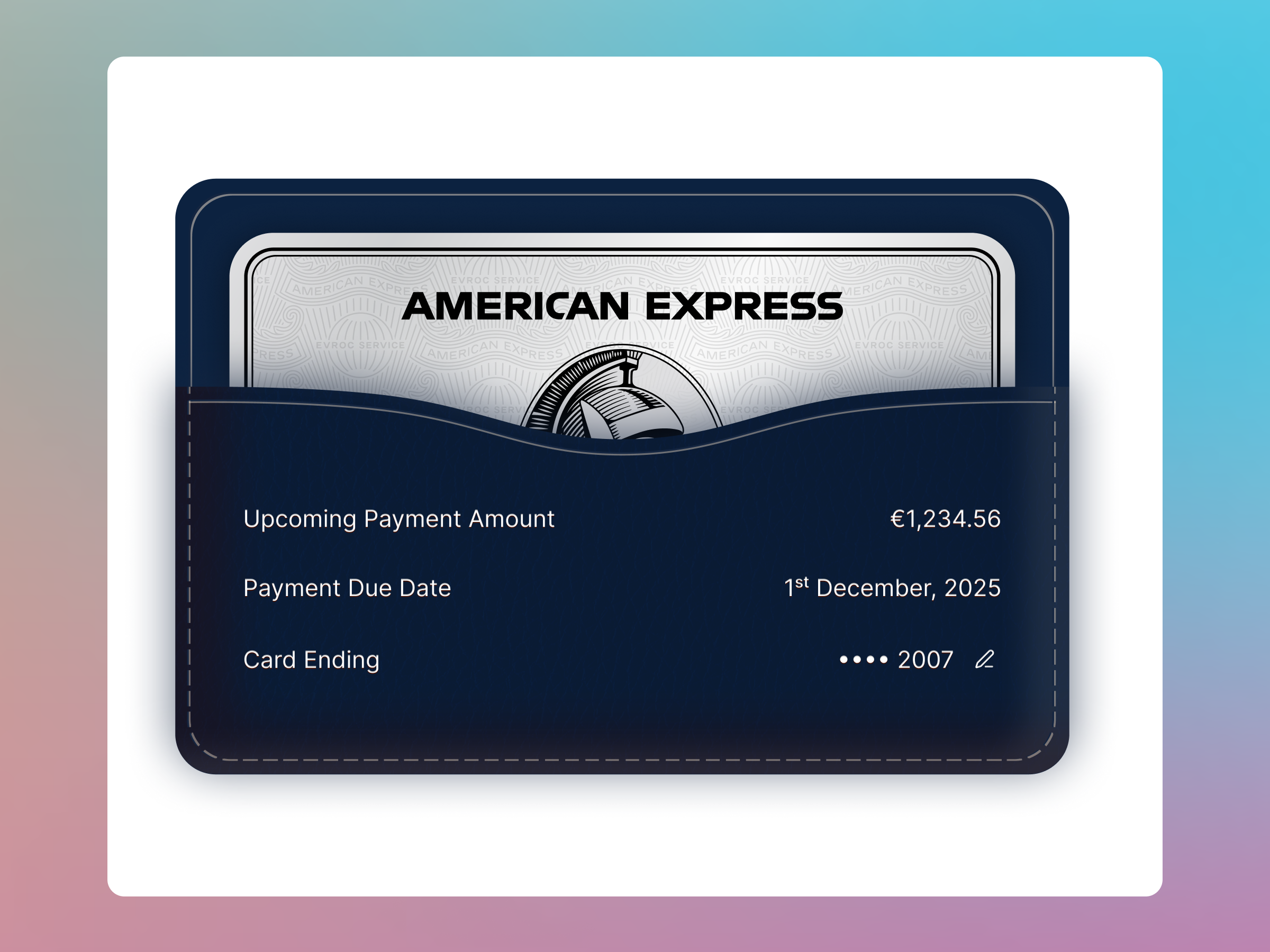
A single destination within the evroc Console for users to be able to understand what their current usage is, view and apply credits, and manage their billing information. Beyond just providing the utility, I also want to utilise this space to highlight our attention to detail and make the payment method really stand out, leaning into the skeuomorphism style.
Unified Docker Web Experience
—
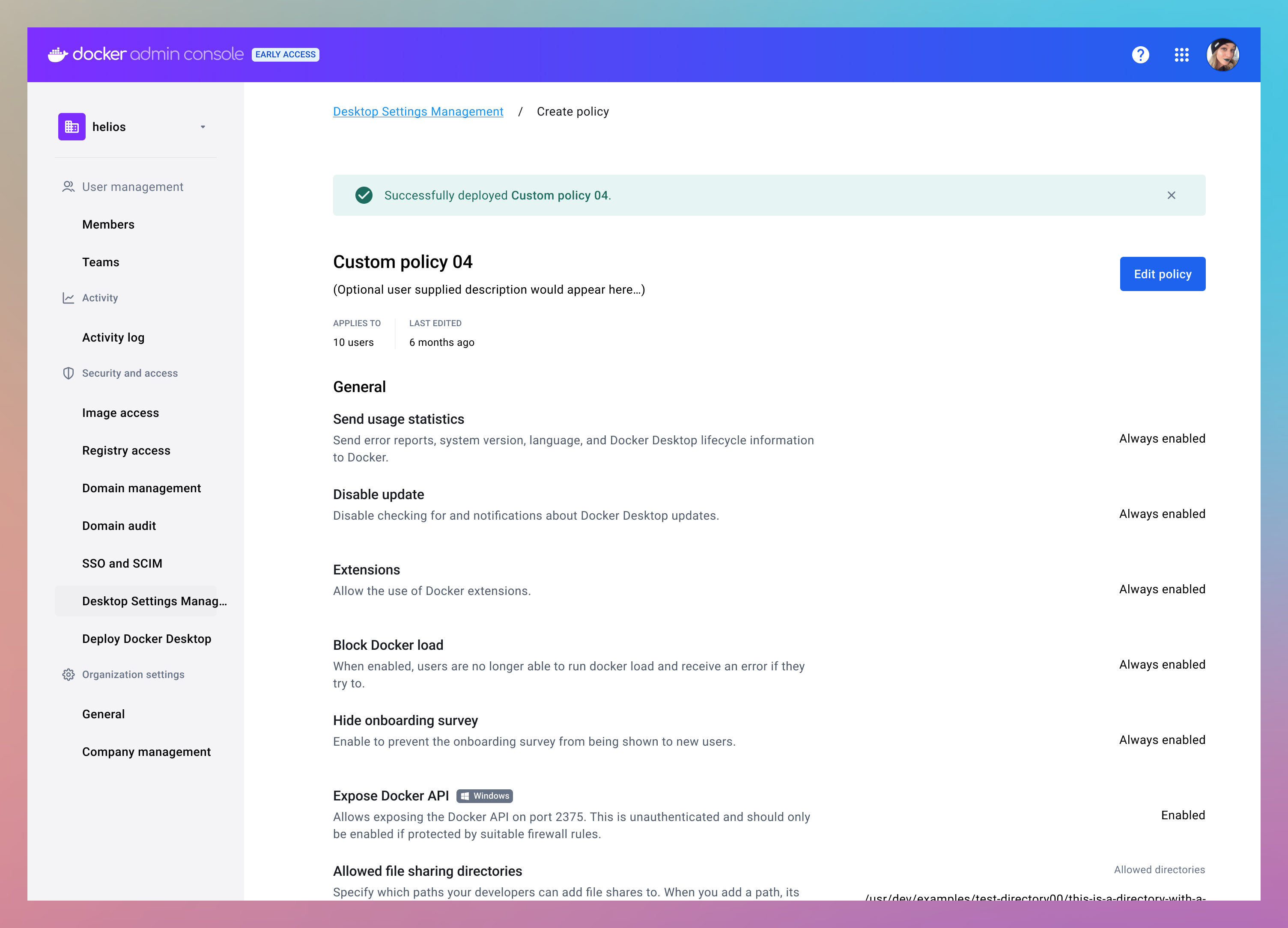
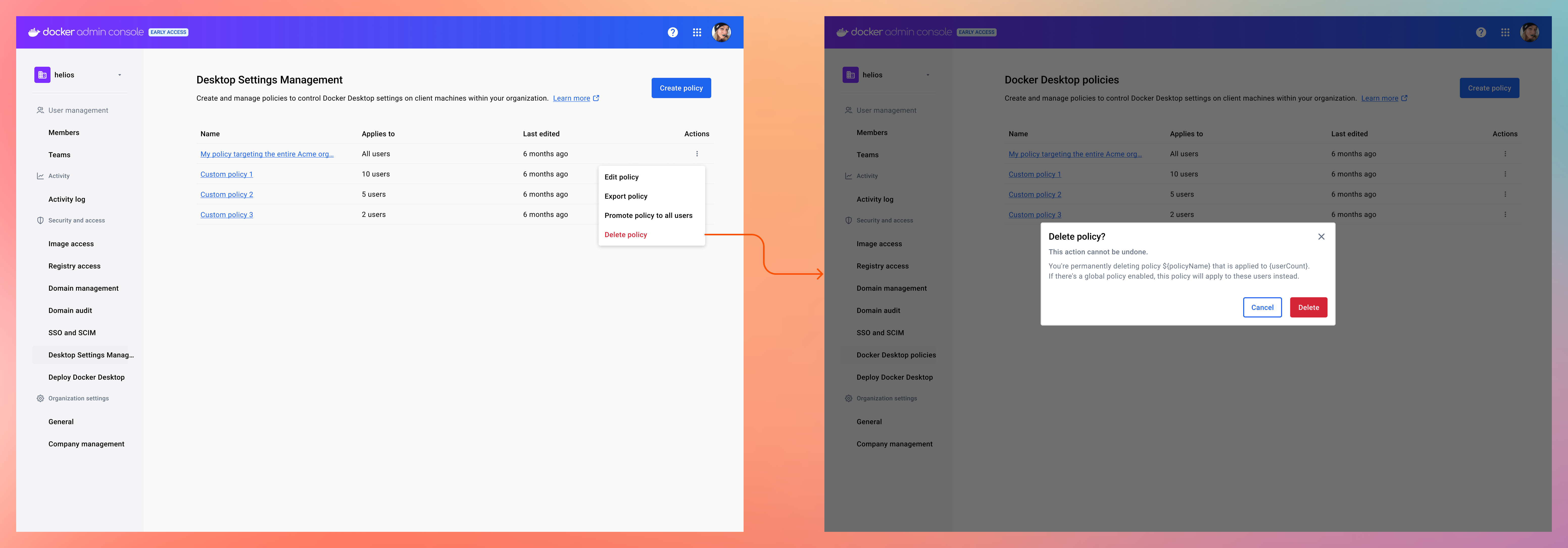
Docker Desktop Settings Management
-
Radar · URL Scanner
Cloudflare Radar URL Scanner provides visibility into page performance, DNS records, network requests, and the libraries and technologies powering a webpage.
Learn more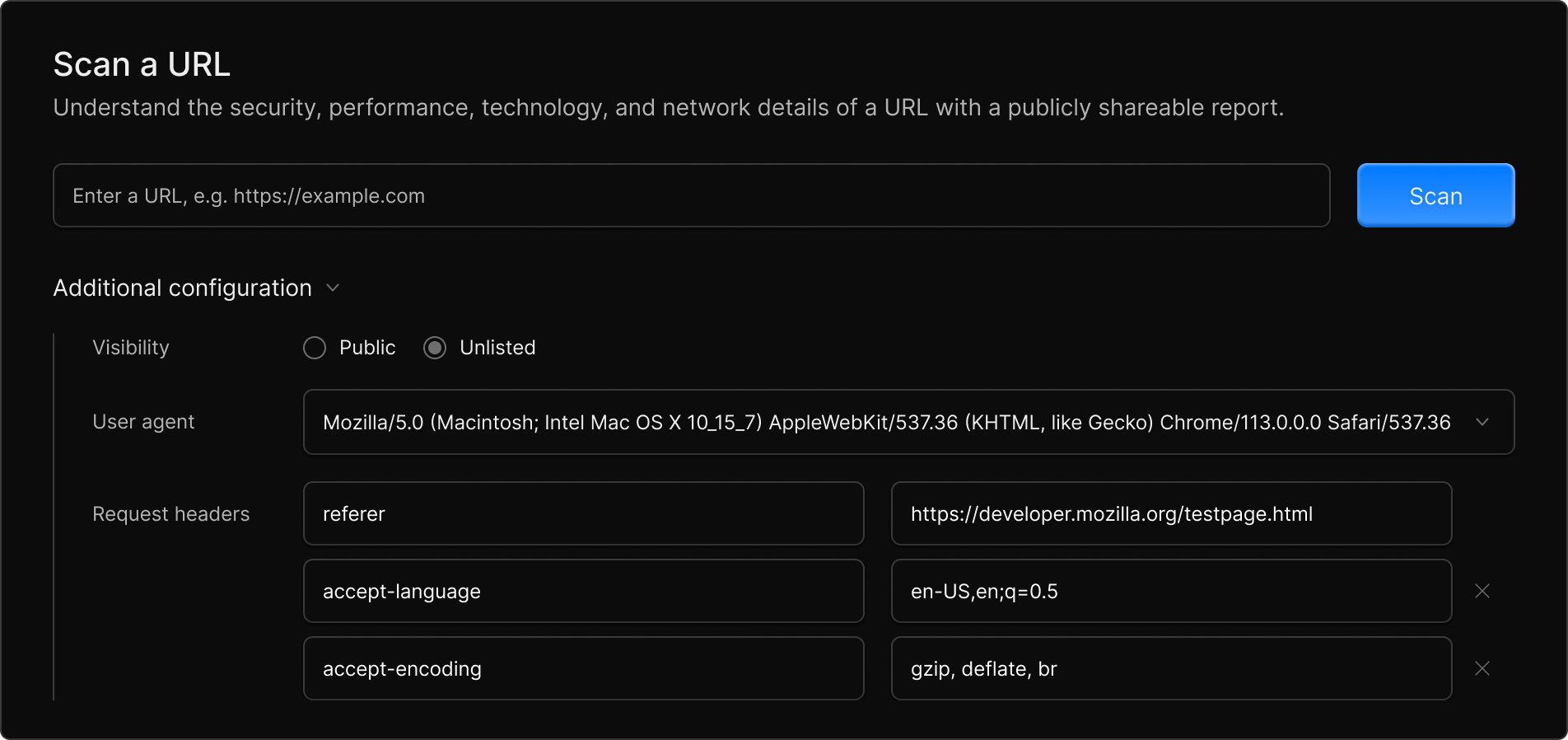
WARP · UX Overhaul
By routing your traffic from your device through Cloudflare's global network, WARP aims to enhance speed and security without impacting performance.
Learn moreSecurity Center · Actionable Insights
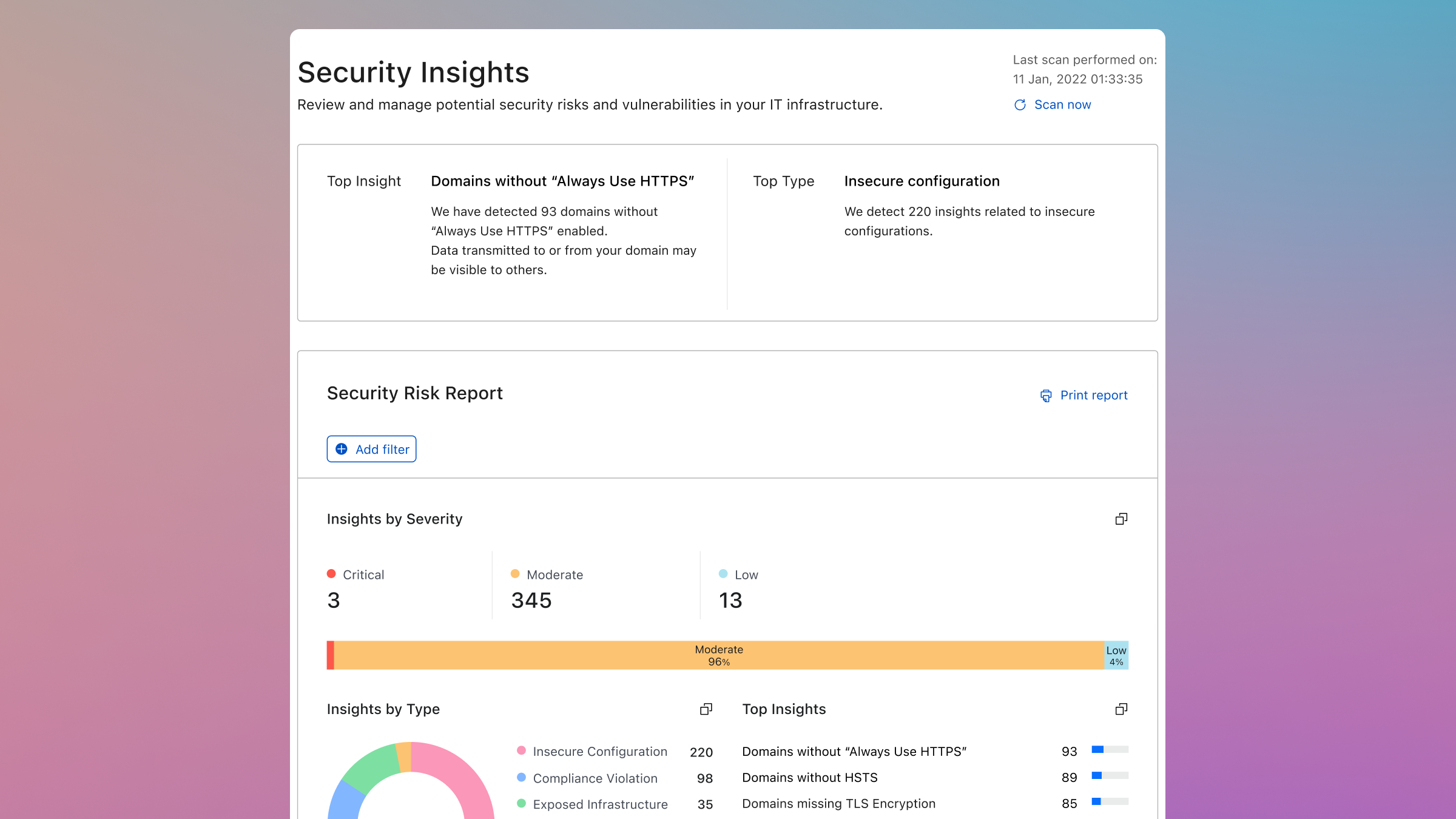
The Cloudflare Security Insights dashboard provides visibility into attack surface areas, potential security risks, and threats, with streamlined one-click mitigation.
Learn more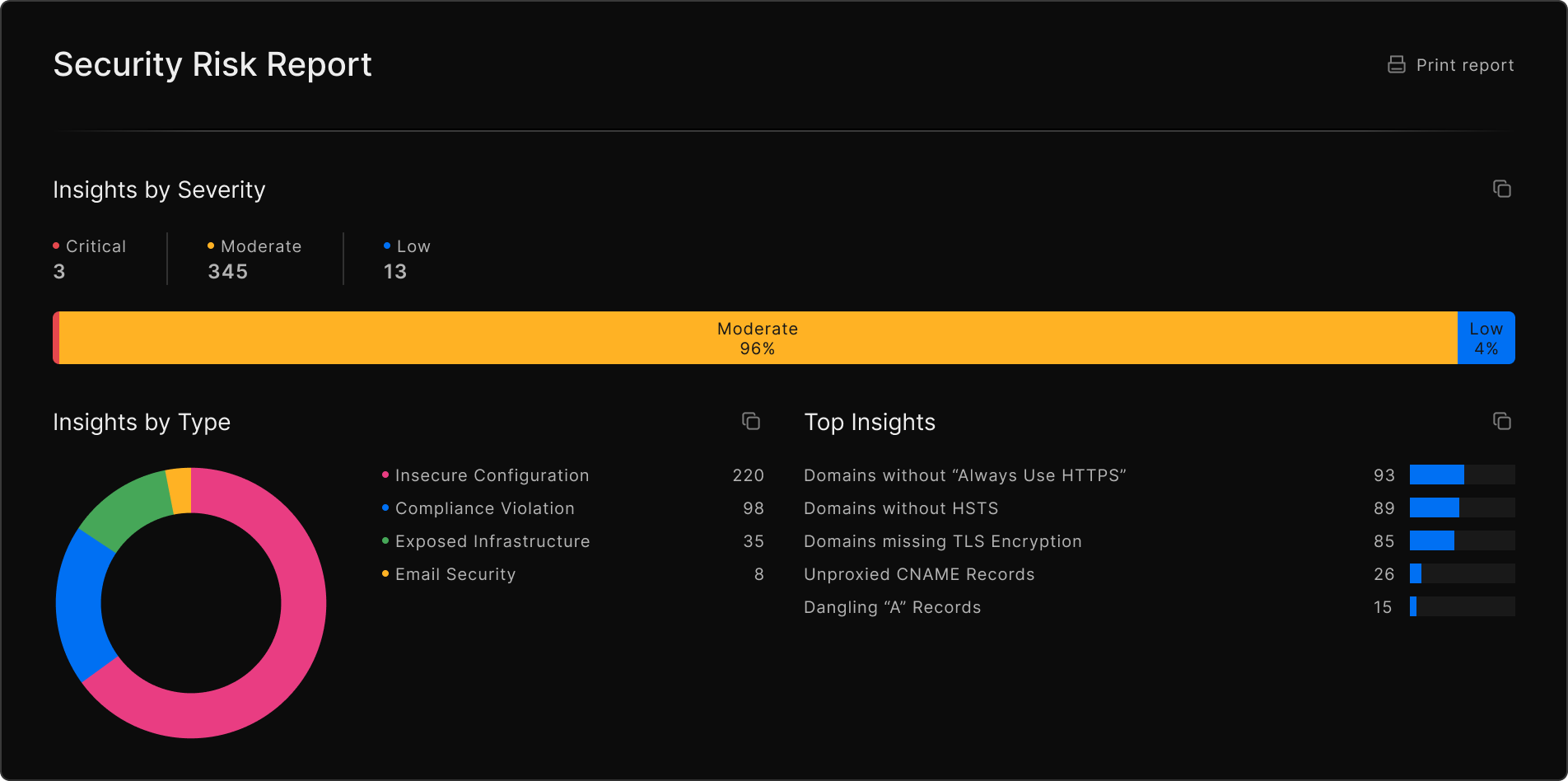
WAF Rule Preview
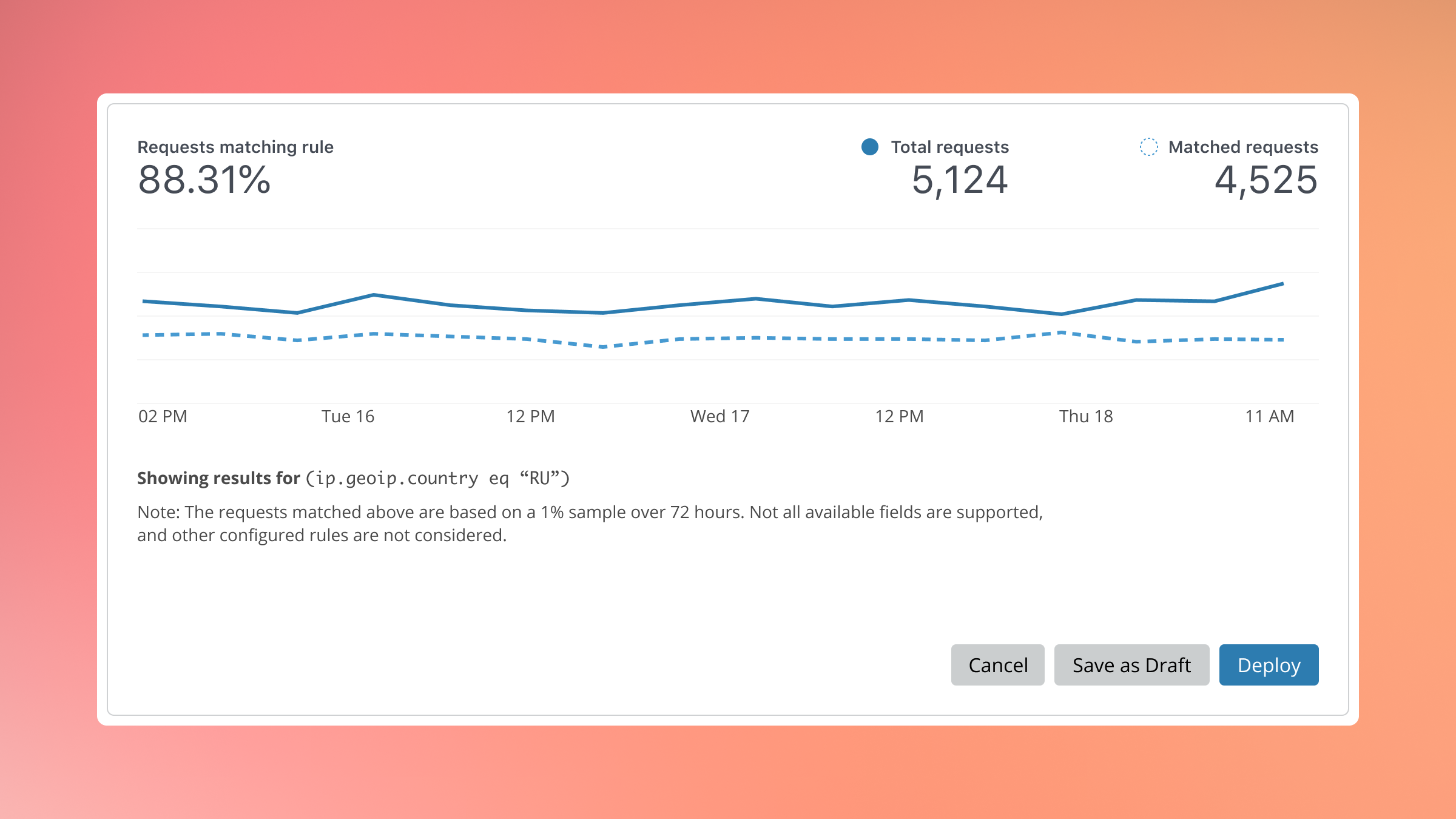
A subtle visualisation to help users understand what proportion of requests would be effected by a new rule being created in the Web Application Firewall (L7).
Network Firewall Analytics
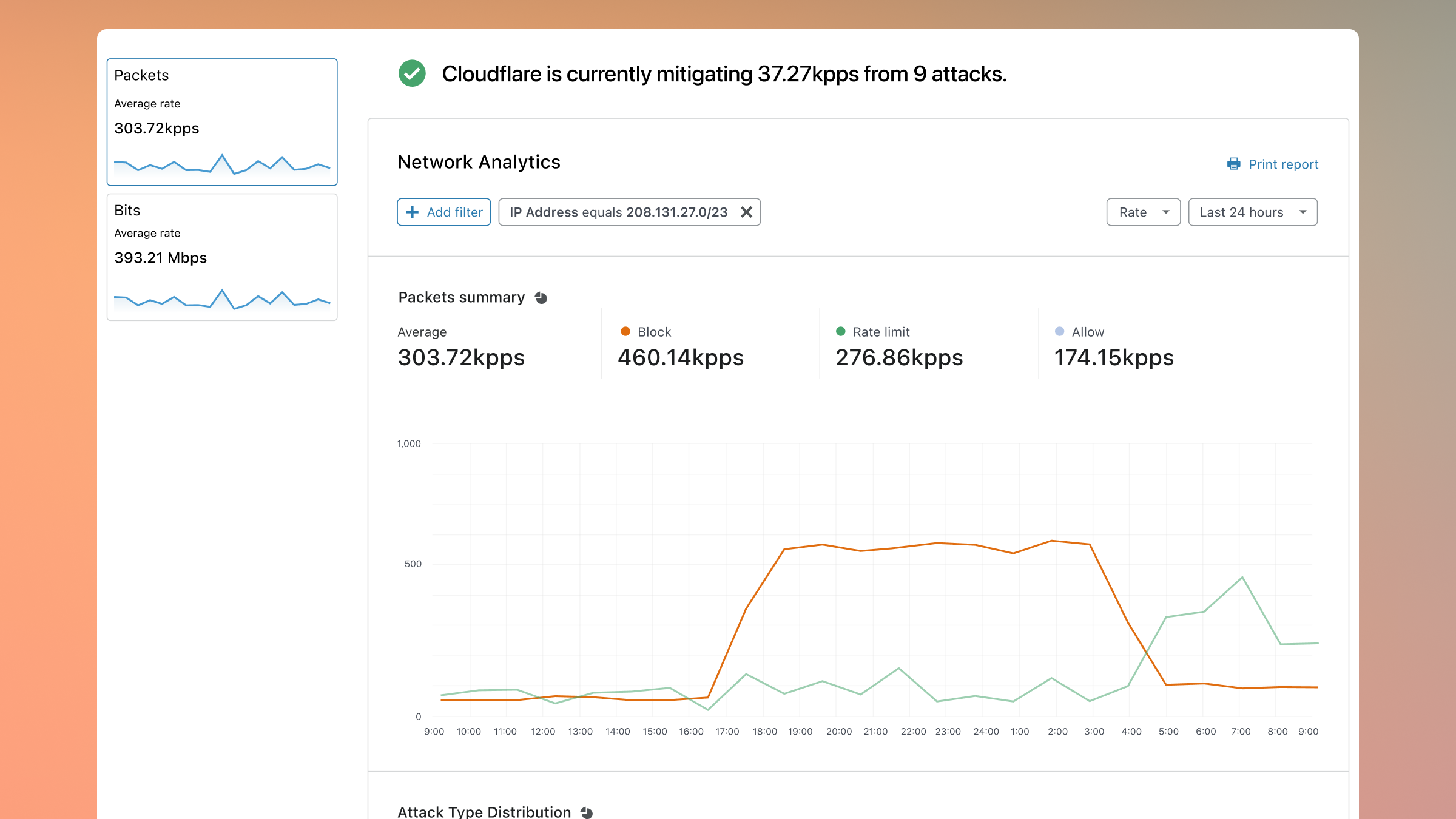
After the success of Firewall Events, we extended that visibility down to L3/L4. My first proper go working with our data visualisations and creating the foundational framework for reports since.
Speed App
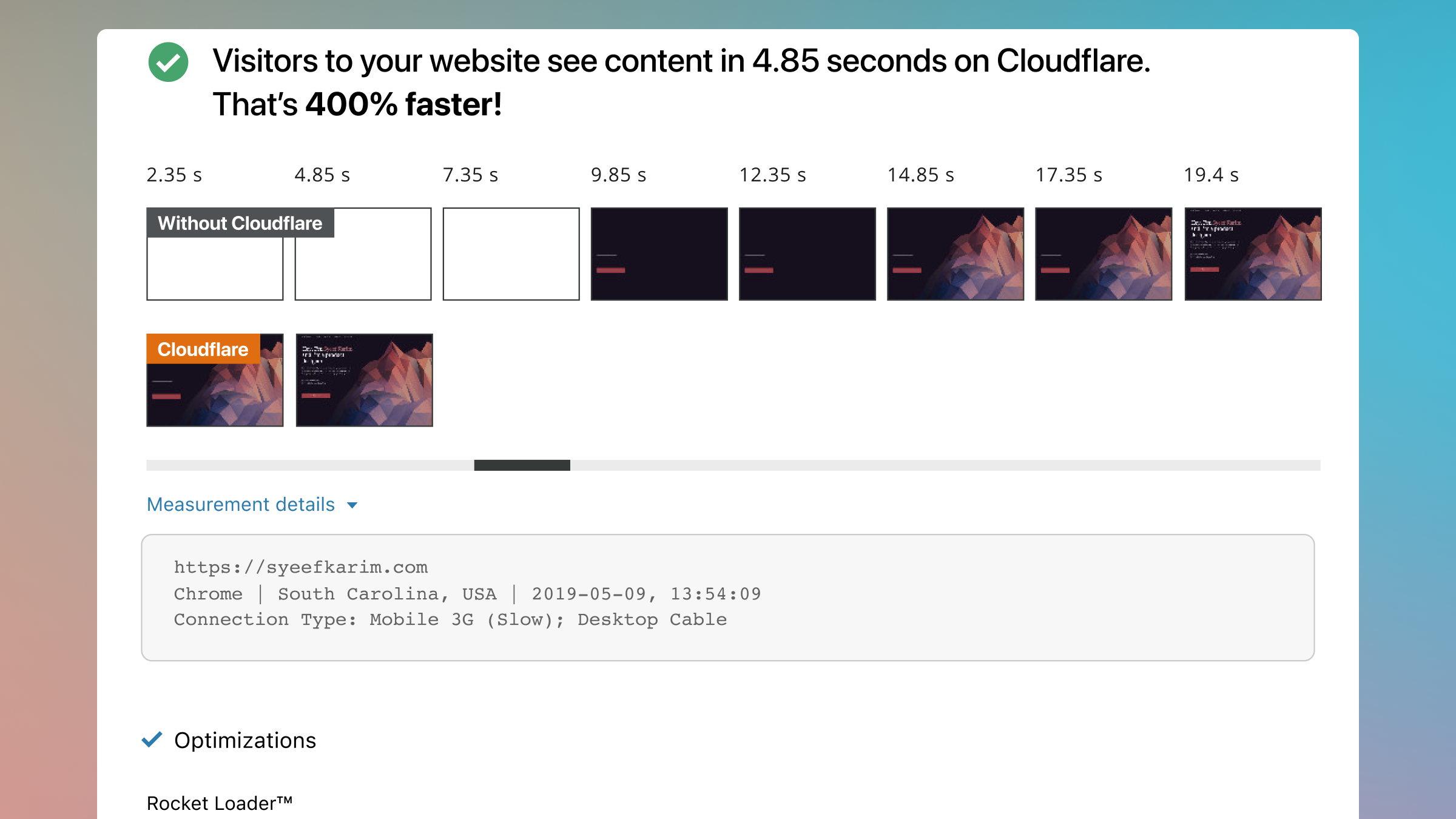
Introduced a filmstrip view to be able users understand what portions of the page were becoming visible at certain points in time. Also improved the grouping and discoverability of available features to improve performance.
WARP Across Multiple Devices
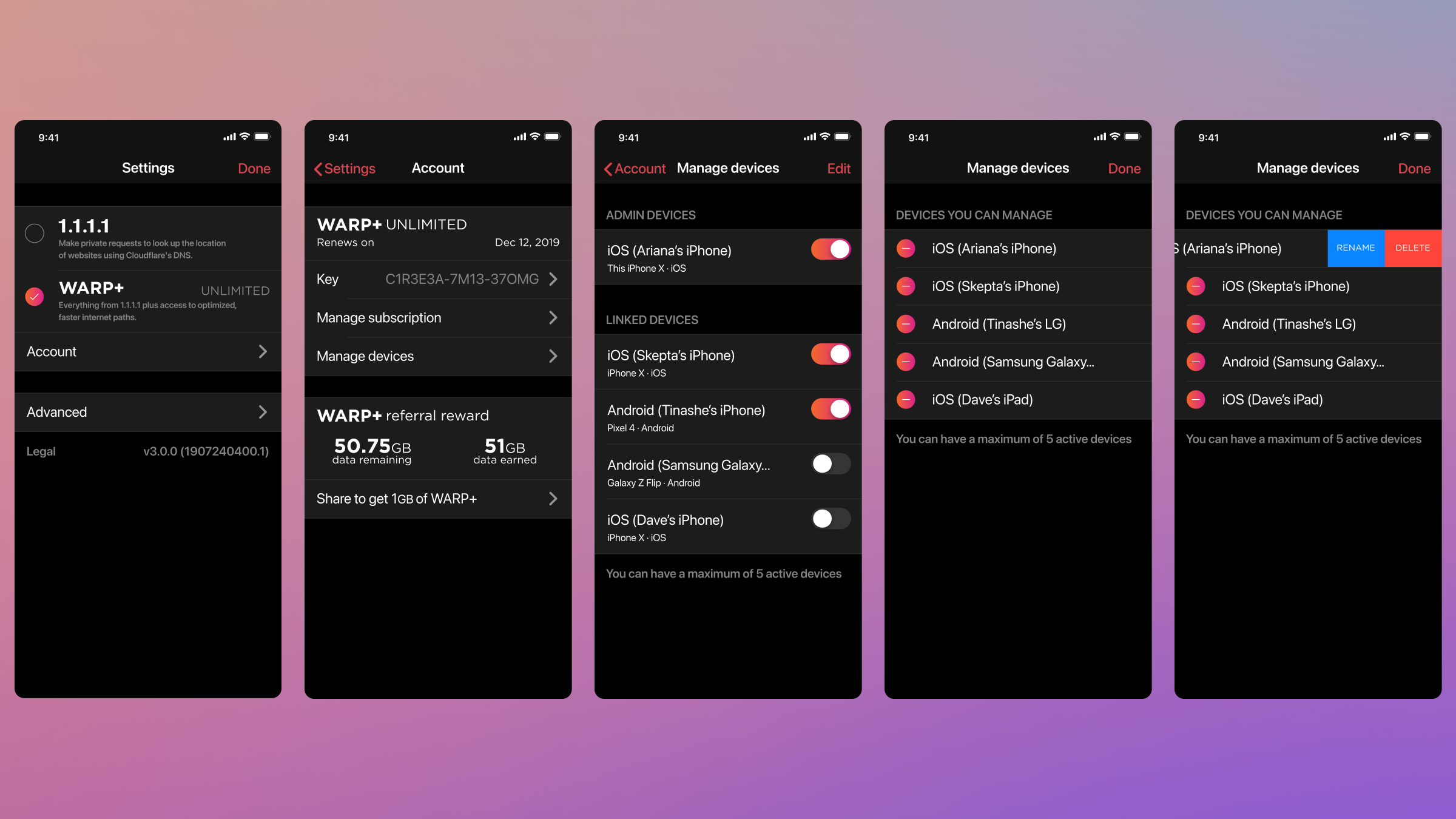
Now your WARP+ bandwidth can be used on up to five devices. One of the earliest features I worked on with WARP for mobile. Later on we explored what a full redesign of the app could be, trying to make it easier for anyone to understand if they're protected or not.
WARP for Desktop
Extending support for WARP to include macOS, Windows, and Linux. This was a fun balance between maintaining operating system UI/UX norms and familiarity with our already established mobile counterparts.
Learn more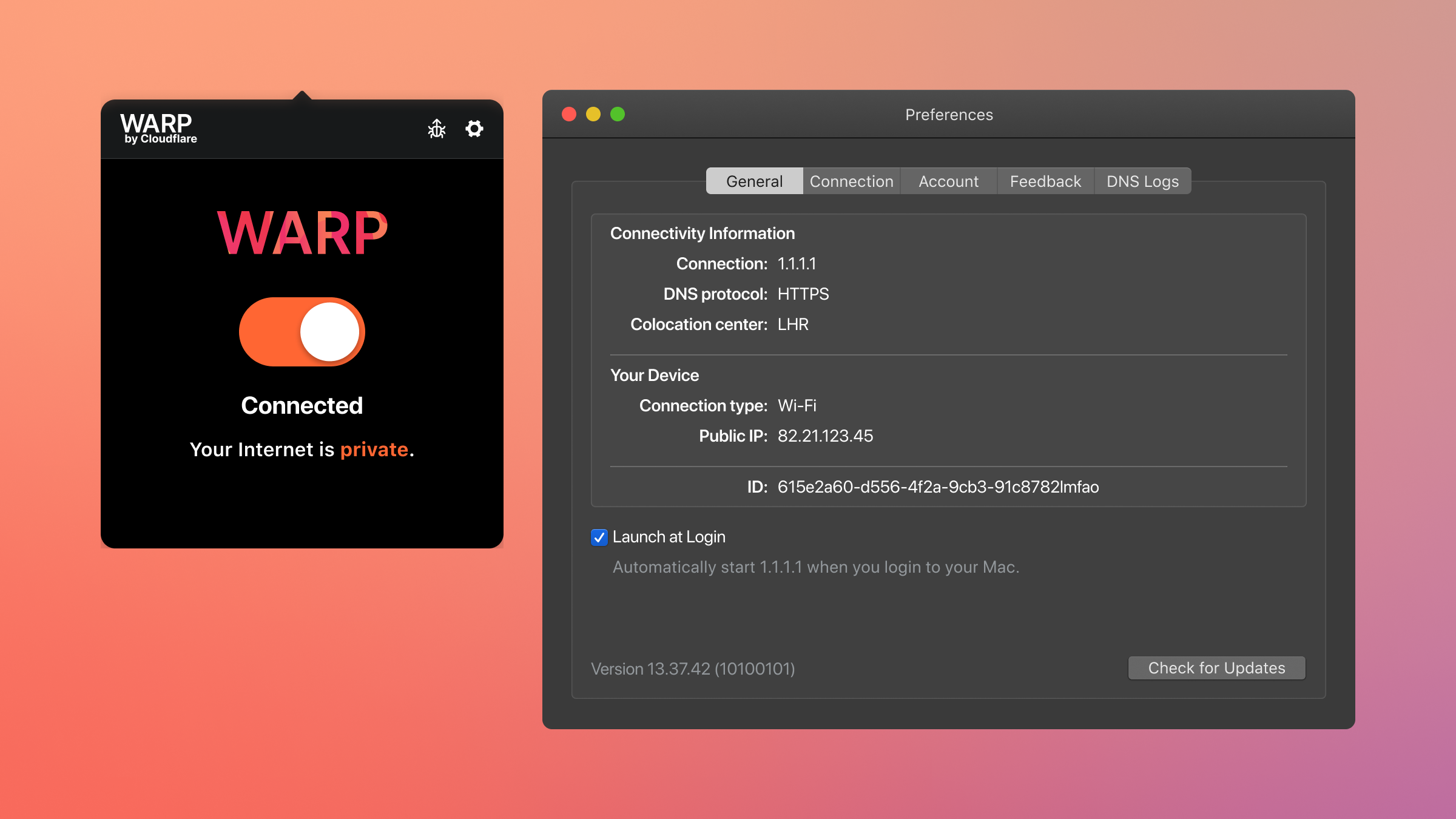
Cloudflare TV
The world was trying to figure out how to connect in lieu of in-person events etc… so we built a 24/7 broadcast using a combination of Cloudflare Stream and other services. (Animation work)
WAF for Accounts
The initial iteration of the WAF only allowed for the configuration to be applied to the zone the user was currently on. With WAF for Accounts, security configurations can be applied across multiple zones at once— super helpful for customers managing hundreds or thousands of zones at once.
𝚜/𝚝𝚎𝚍𝚒𝚘𝚞𝚜/𝚎𝚊𝚜𝚎/𝚐
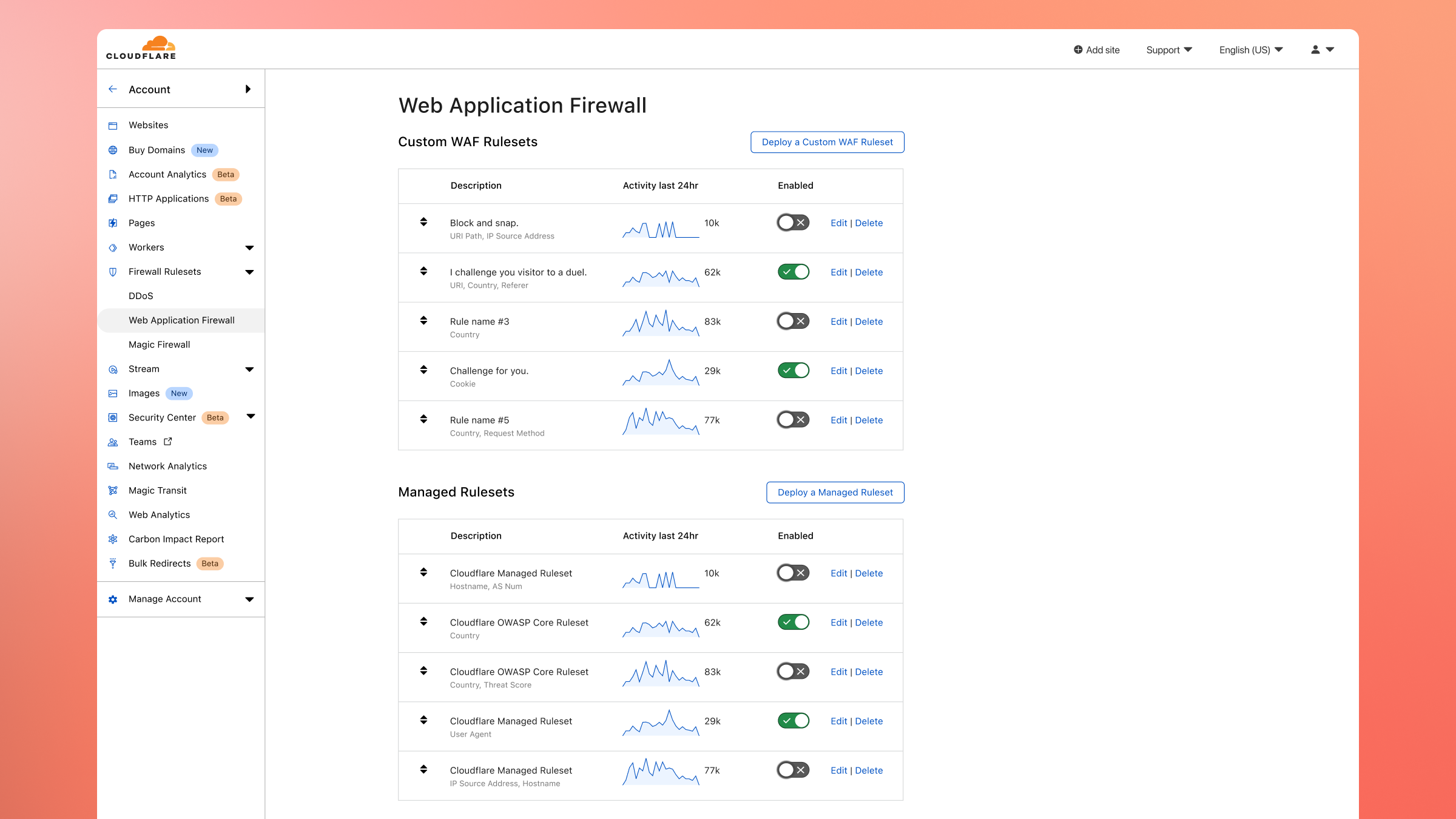
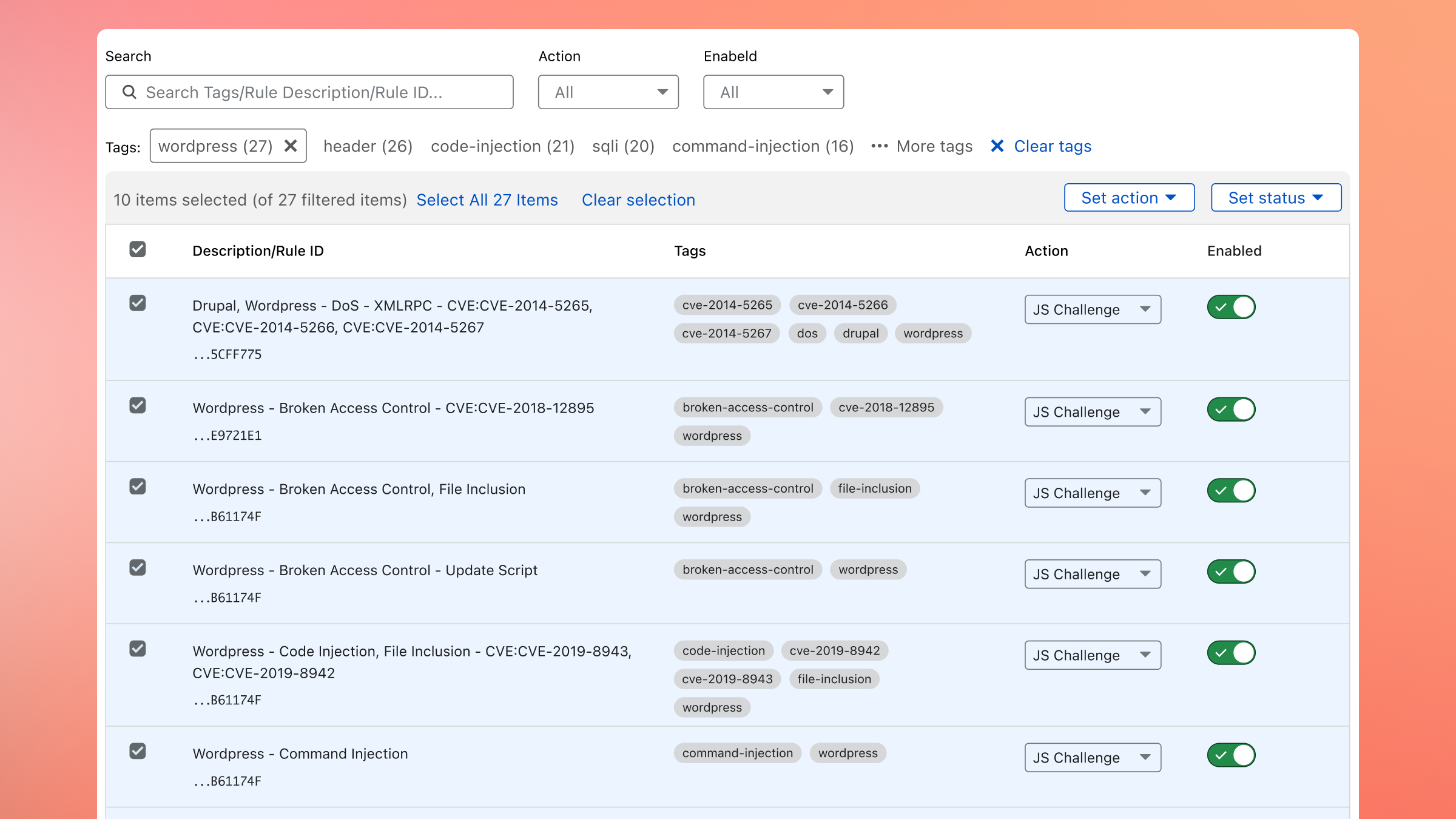
WAF Rulesets
We improved the UI of the WAF, aiming to make it less prone to errors during setup and also capable of bulk rule editing.
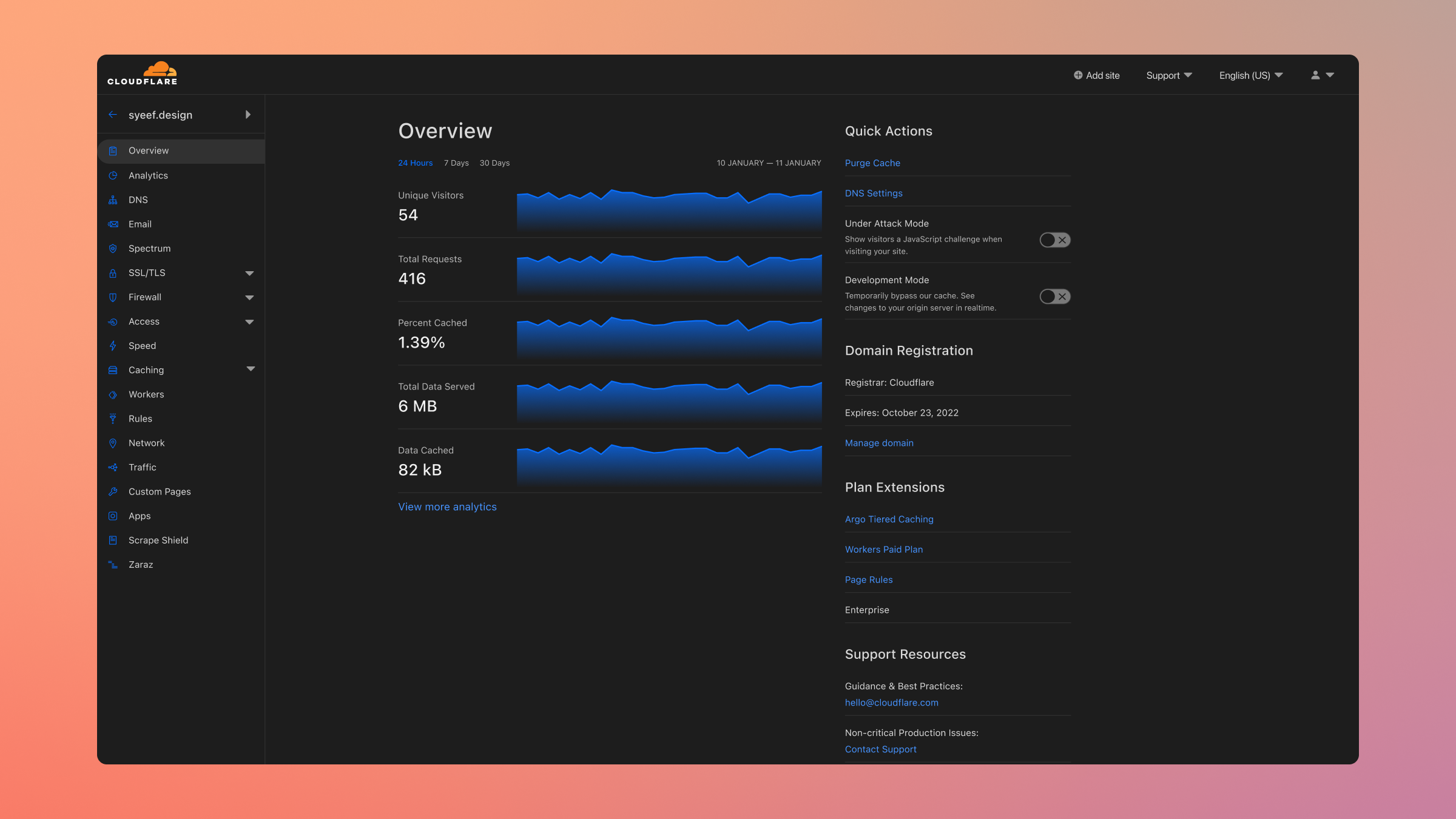
Dashboard Dark Mode
The Dashboard, except darker! Perhaps unsurprisingly a highly requested hygiene factor which was released during Birthday Week 2021.
Security Center
Get an overview of your infrastructure's attack surface area. This is the most recent work released during CIO Week at the end of 2021.
Learn more